Getting Started
Hello World
-
In Margrete, open Extensions → Margrete RPC in the menu to start the plugin.
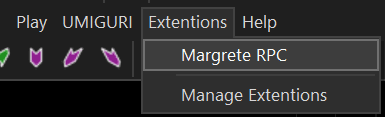 👉
👉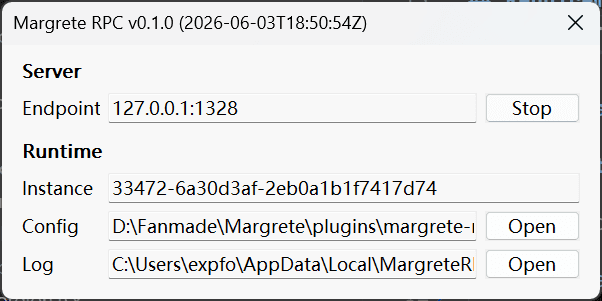 You need to start the plugin each time Margrete restarts.
 -
Create a file called
example.pyand run this script:from margrete_rpc import Margrete from margrete_rpc.chart.notes import Tap with Margrete() as m: m.ping() status = m.status() print(status.server_version) print(status.server_name) print(status.instance_id) with m.open_edit() as tx: tx.chart.notes.append(Tap(t=0, x=0, w=4)) # changes are applied when this block exits successfullypython example.pyThis connects to Margrete, prints the plugin status, and appends a
Tapnote to the chart.With no arguments,
Margrete()auto-detects the running plugin instance. This is the normal form when one Margrete window is open. If you have multiple running instances, see Multiple Margrete.
Get cursor position
The cursor is the red playhead line in the editor.
Use Margrete.current_tick() to get the current cursor position.
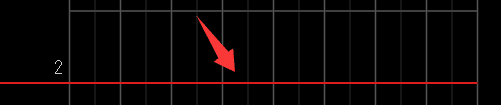
with Margrete() as m:
    tick = m.current_tick()
Undo and redo
You can trigger undo and redo from the client:
m.undo()  # returns True if something was undone
m.redo()  # returns True if something was redone
Undo have some limitations in Margrete. See Limitations for details.